Graphics experiment
Layered surfaces: geometry, light and browser rendering
The homepage is a small graphics experiment built with DNAiG. Its subject is a stack of curved surfaces, composed to show how a shared shape changes under different materials and lighting.
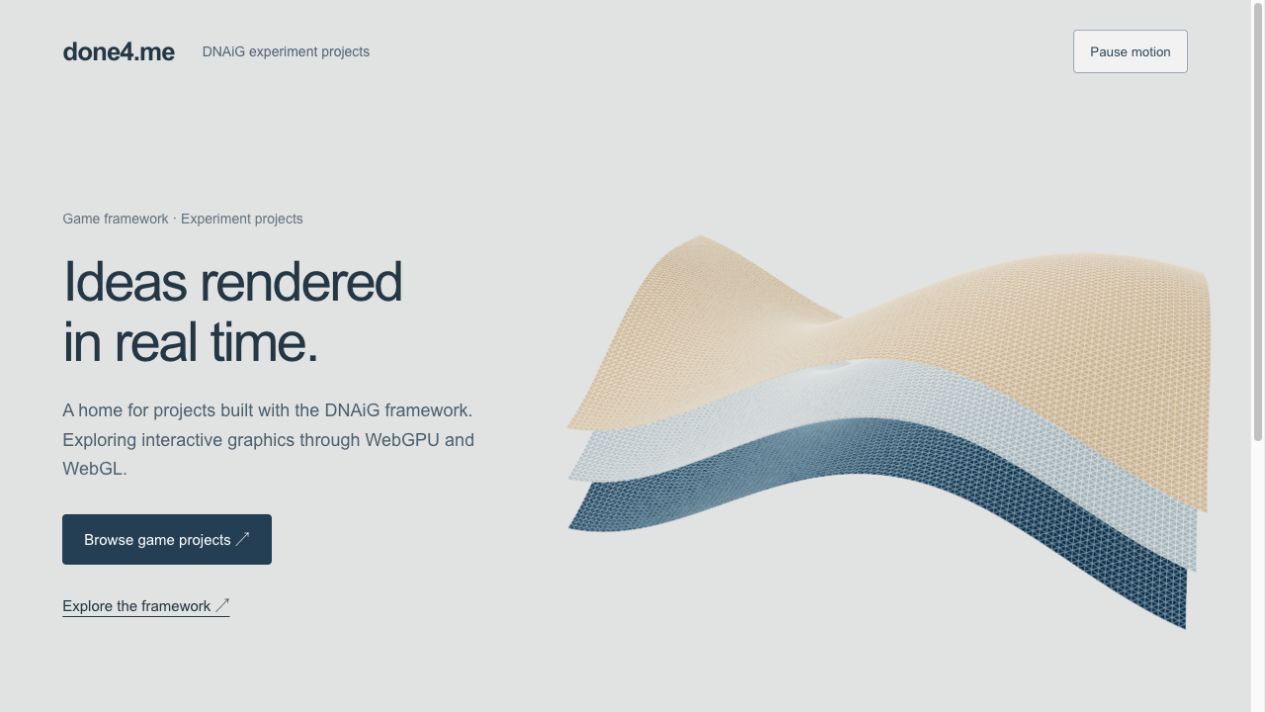
One shape, several readings
The scene starts with a rectangular plane divided into a 100 by 75 segment grid. Each point is raised or lowered by a combination of sine and cosine functions. The result is a continuous surface with broad folds rather than a collection of separate tiles. Recomputing its normals gives the lighting a description of the local slope at each point. Three copies share that geometry and sit at different heights.
Using the same geometry makes the material comparison meaningful. A dark blue lower layer, a pale middle layer and a warm upper layer describe the same folds. Their metalness and roughness are held constant. The differences you see come from the base color, vertical position, light direction and neighboring surfaces rather than three unrelated shapes.
Why the grid is visible
A faint wireframe sits just above each filled surface. It exposes the subdivisions behind the smooth shape and makes perspective easier to read. The small separation reduces competition between the two surfaces at the same depth. The wireframe is deliberately translucent: a fully opaque grid would dominate the shape and hide the material shading.
This is real mesh geometry, not a background video. The animation turns the complete group slowly through a narrow angle. It does not simulate cloth or fluid. Holding the shape fixed while changing its orientation lets the highlights and overlapping contours carry the movement.
What to inspect
Open the homepage and compare the near and far edges. Notice how the same grid becomes denser with distance and how one layer hides parts of another. Pause the scene to inspect those relationships without motion. Resume it and watch the change in the highlights, which comes from the lighting and changing orientation.
The desktop layout keeps the study beside the introduction. A narrow layout places it below the controls and uses a different camera framing. The controls remain ordinary HTML, so the project links and written content are available even if graphics initialization fails.
Rendering choices and limits
DNAiG creates the rendering surface and selects WebGPU where available, with a WebGL compatibility path. The host owns the authored geometry, materials, camera and animation clock. The page respects reduced-motion preferences and stops advancing the animation while the document is hidden. Pause freezes that clock.
This study illustrates composition and material behavior; it is not a benchmark or a guarantee of identical performance across devices. A browser may not provide either graphics backend, and driver behavior can differ. The written project notes remain readable independently of the canvas.